Playing Duplicate
Table of Contents
Start Browser on Tablets
The first browser to connect will show the home page.
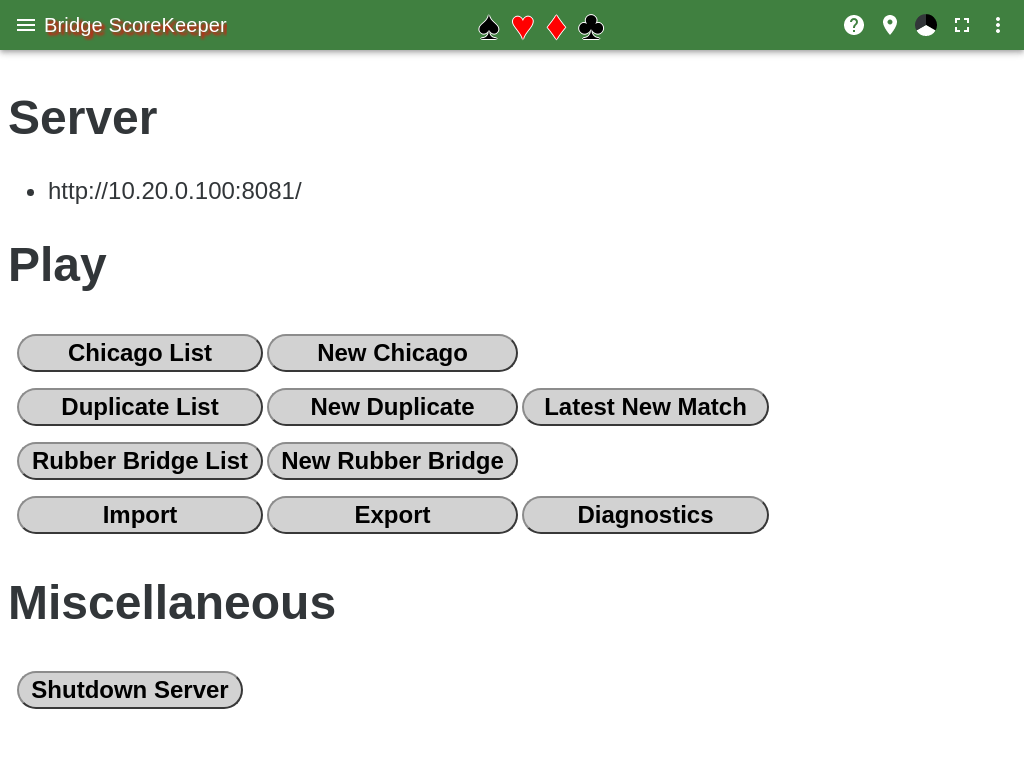
This page shows the URL address to use in the other browsers to connect to the server.
The URL address can always be displayed from any browser by hitting the icon in the top right of the page.
Starting a New Match
There are two ways to start of a new match. The first is to hit the New Duplciate button on the home page.
The other is to hit the List Duplicate button on the home page, then hit the New button on the summary page.
Select Movement and Boards
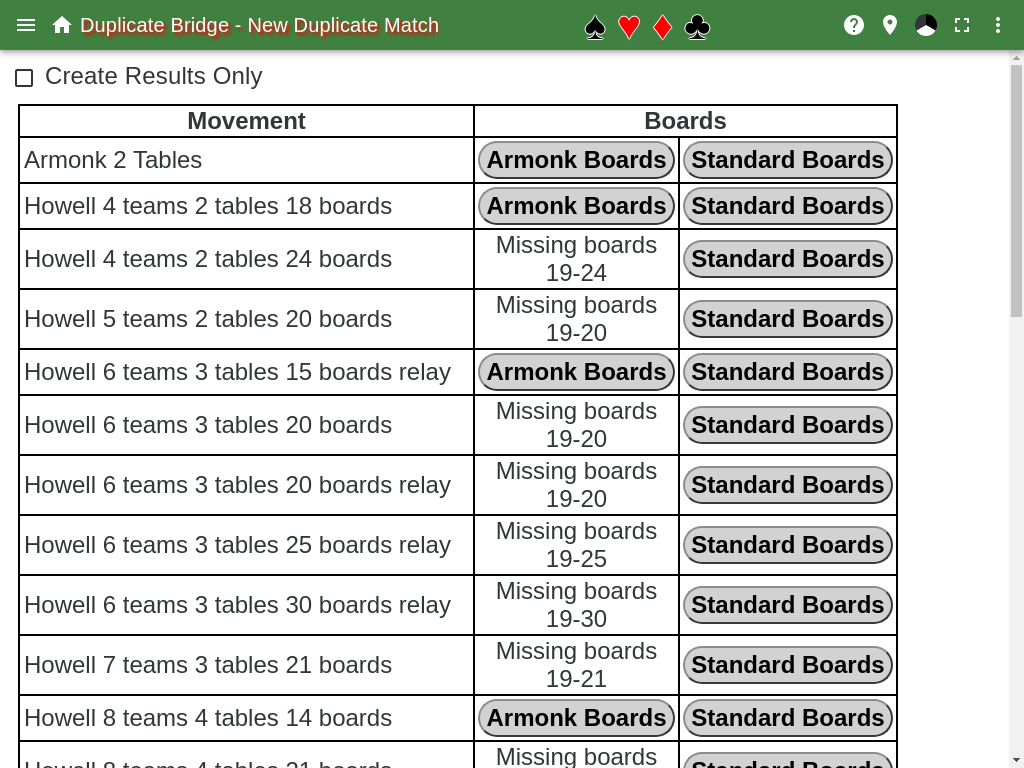
Find the movement that should be used in the match, and then hit the Boards button that should be used with the movements.
This will then show the Complete Scoreboard page. There will be no names or results in the page.
Starting on a Table
Take a tablet to a table, and from the Complete Scoreboard page
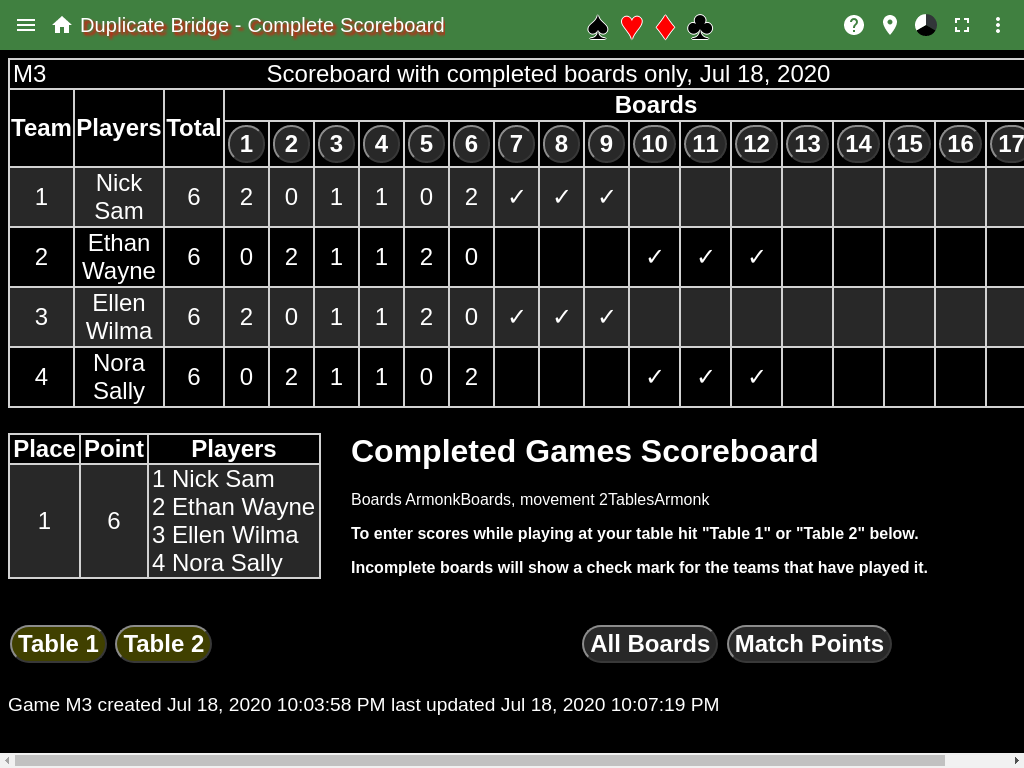
hit the Table n button, where n corresponds to the table you are at.
This shows
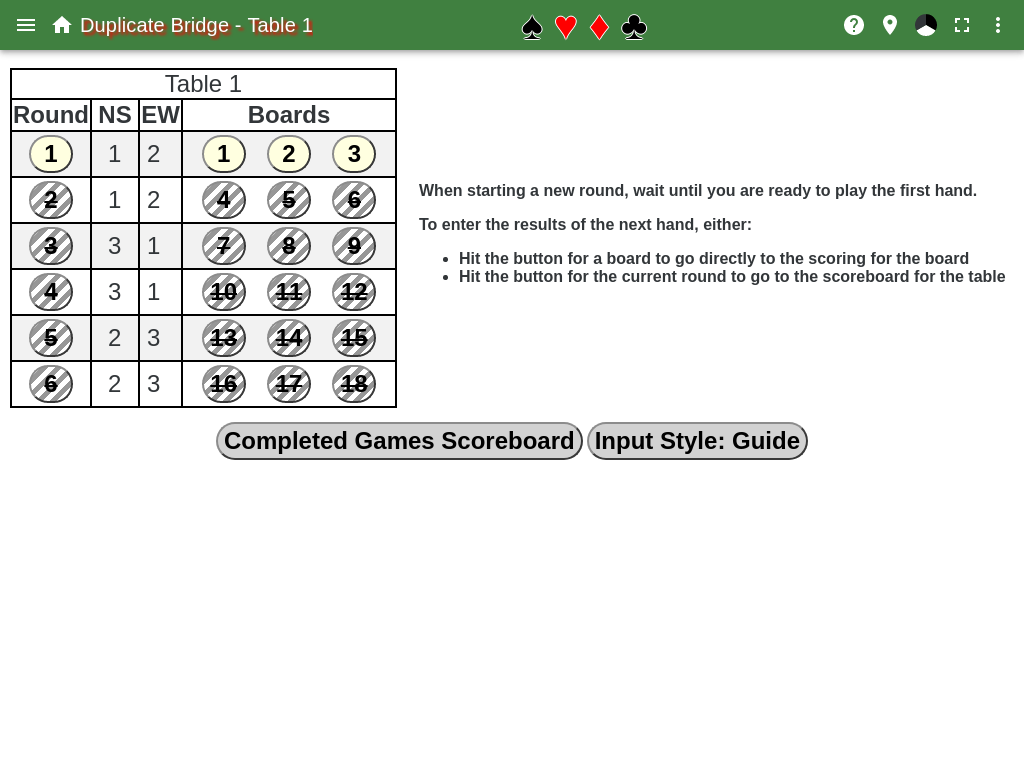
On the very first round there will not be any names in the NS or EW columns.
Hitting the 1 button under the Boards column will allow entering of names of the players at the table. In later rounds the players are already determined, and only the position on the table may be selected.
First Round
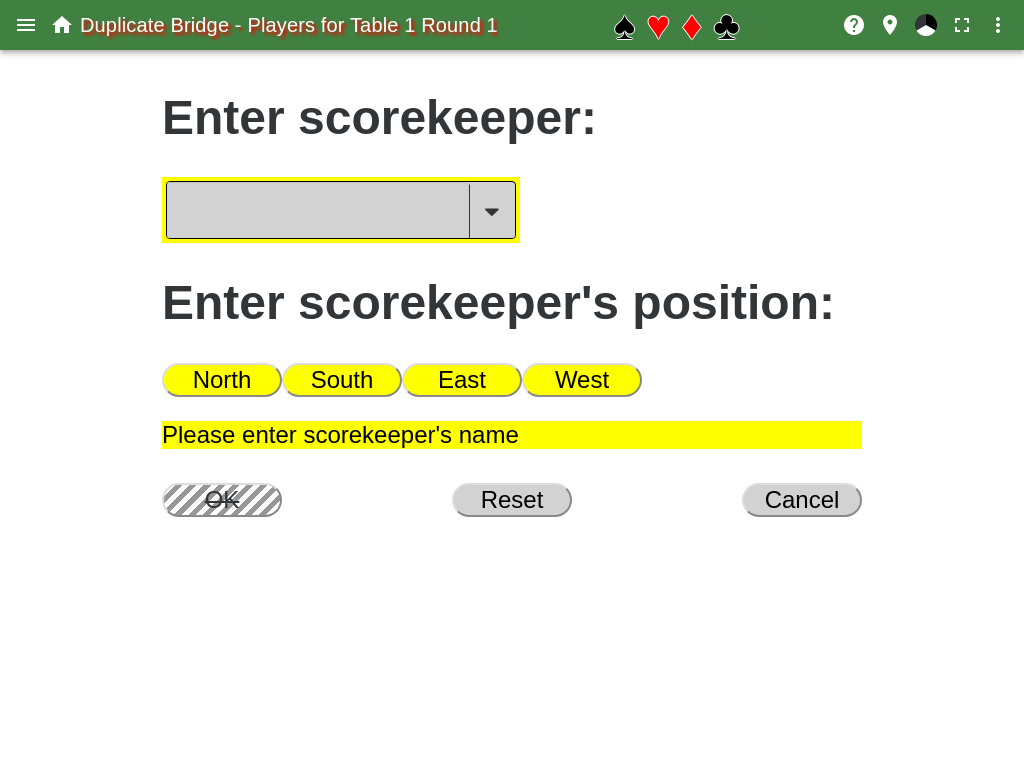
On the first round, the Enter Scorekeeper’s name is displayed. Select or enter the scorekeeper’s name in the input field. To see the list of known names, hit the triangle at the right of the input field. Once the scorekeeper has been identified, select the position the scorekeeper has on the table. Then hit the OK button.
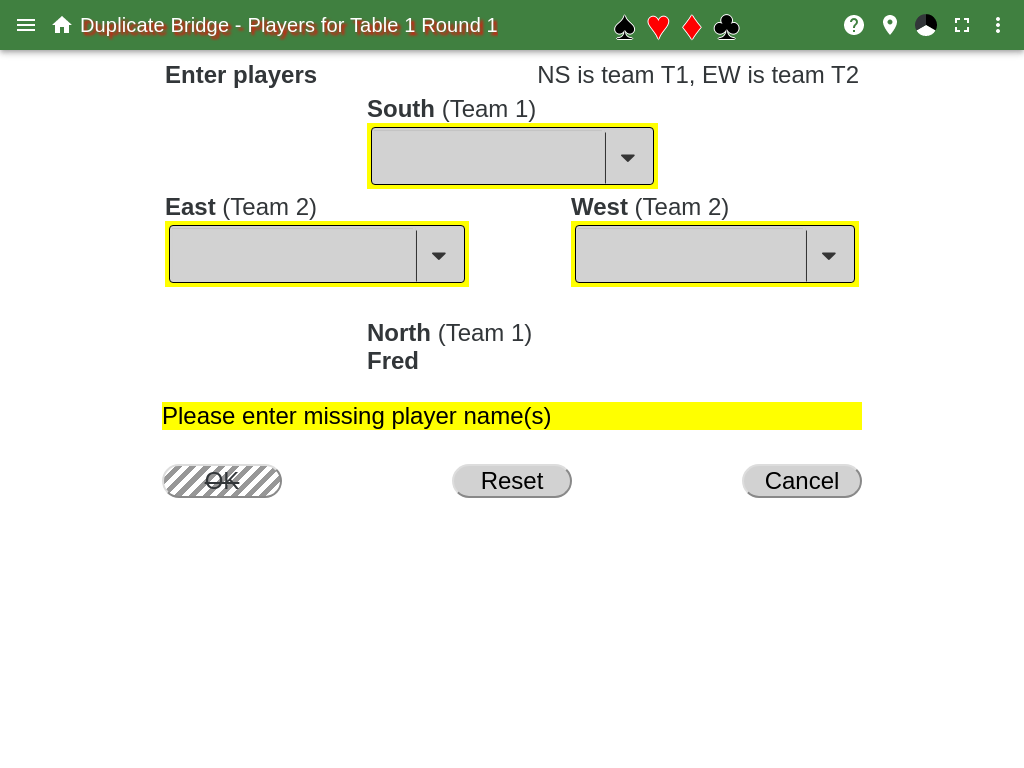
Enter the names of the other players in their corresponding position on the table. Then hit the OK button.
Later Rounds
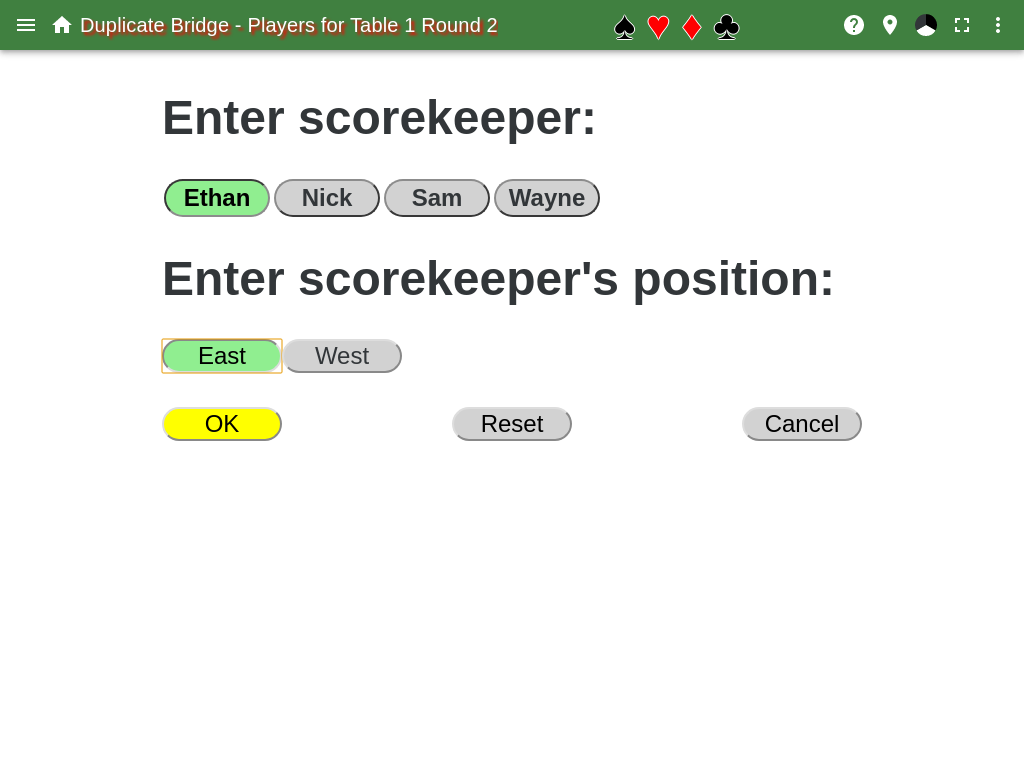
Select the scorekeeper’s name and the position they have at the table. Then hit the OK button.
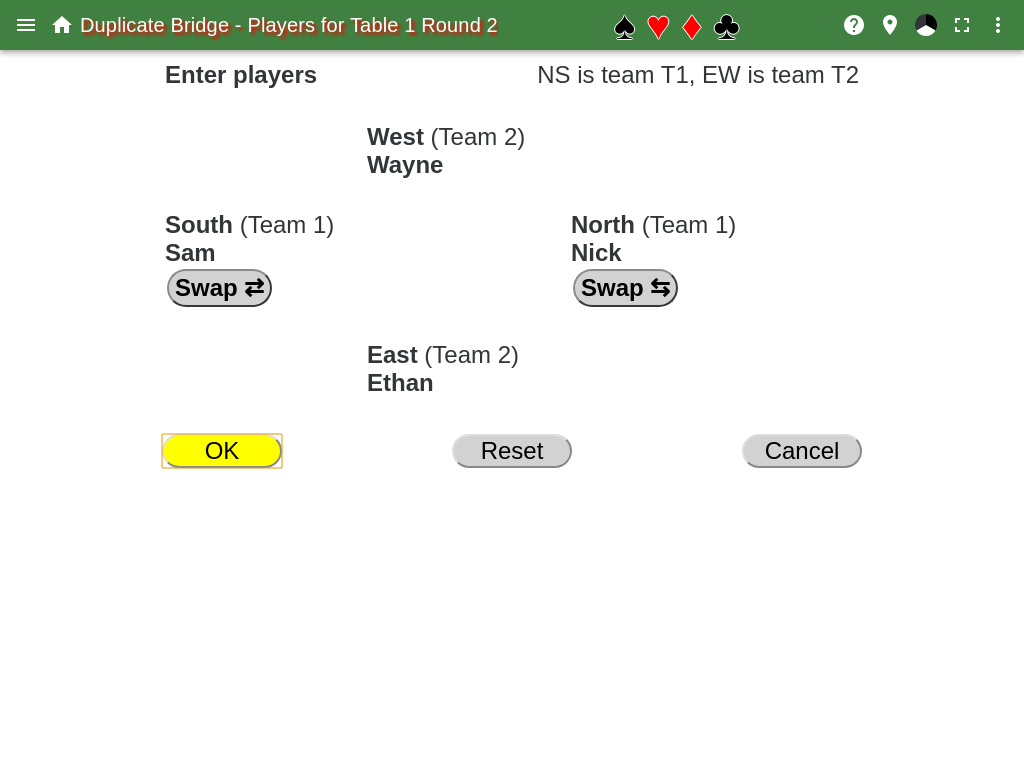
This shows the players that are playing this round. The scorekeeper’s partner is already identified. The other two players, the opponents of the scorekeeper, are displayed. If they are not correct, ask them to switch or hit either the Swap ⇄ buttons or the Swap ⇆ buttons.
When the players are correct, hit the OK button.
Entering the Hand Results
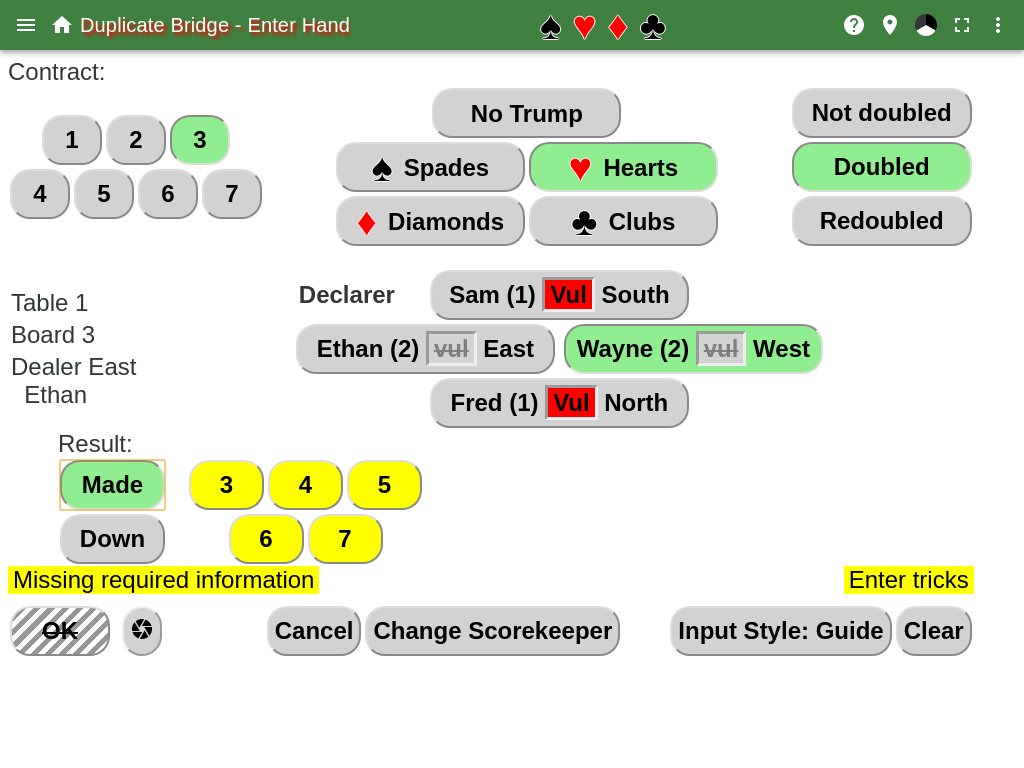
Select the contract by hitting the buttons that represent the number of tricks, the suit, doubled, and declarer. Then select whether the contract was made or went down, then indicate the number of tricks it went down, or were made.
Examples: 4 spades making only 9 tricks would be Down 1, while making 11 tricks is Made 5.
Choosing the Next Hand in Round
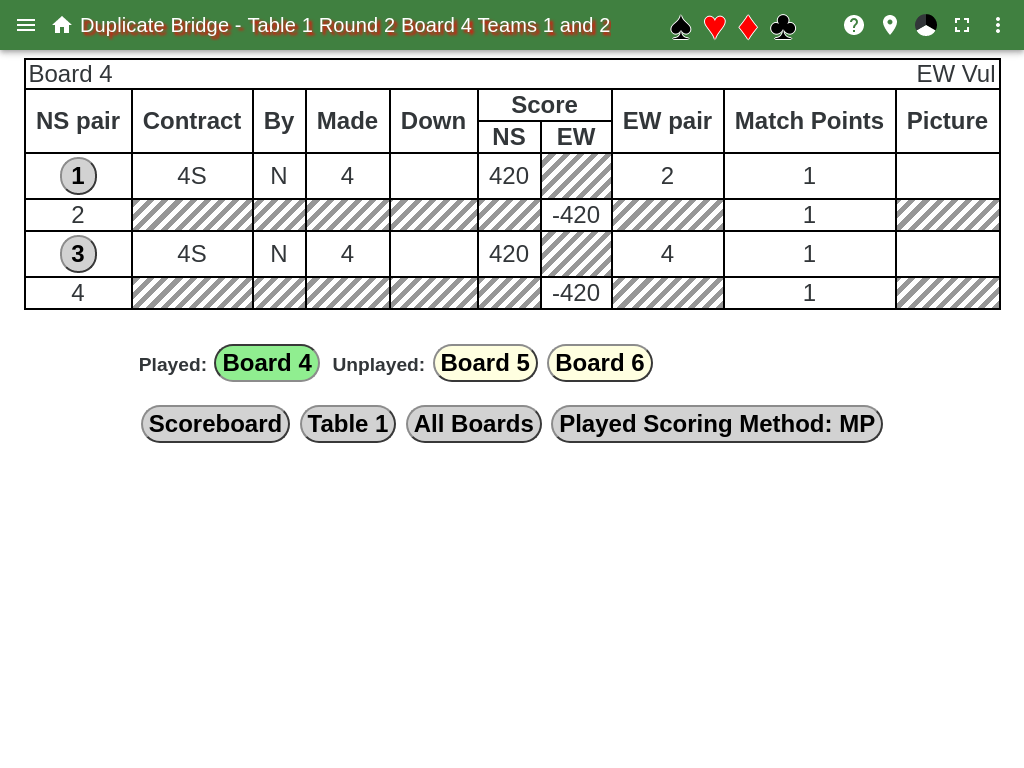
This shows the results of the selected board, the green board button. The played and unplayed boards are also identified.
To play the next hand in the round, hit the board button that corresponds to the board that will be played.
Completing the Round
When a round is finished, the Scoreboard button can be hit to go to the Scoreboard from Table page. From here, if the tablet is staying on the table, then the Table n button is hit to start the next round.
If the tablet is moving to a new table, then the Complete Scoreboard button is hit, followed by the Table n button is hit for the new table.
Completing the Match
When the match is finished, all hands on all boards played, then going to the Complete Scoreboard will show the results of the match.