Enter Hand
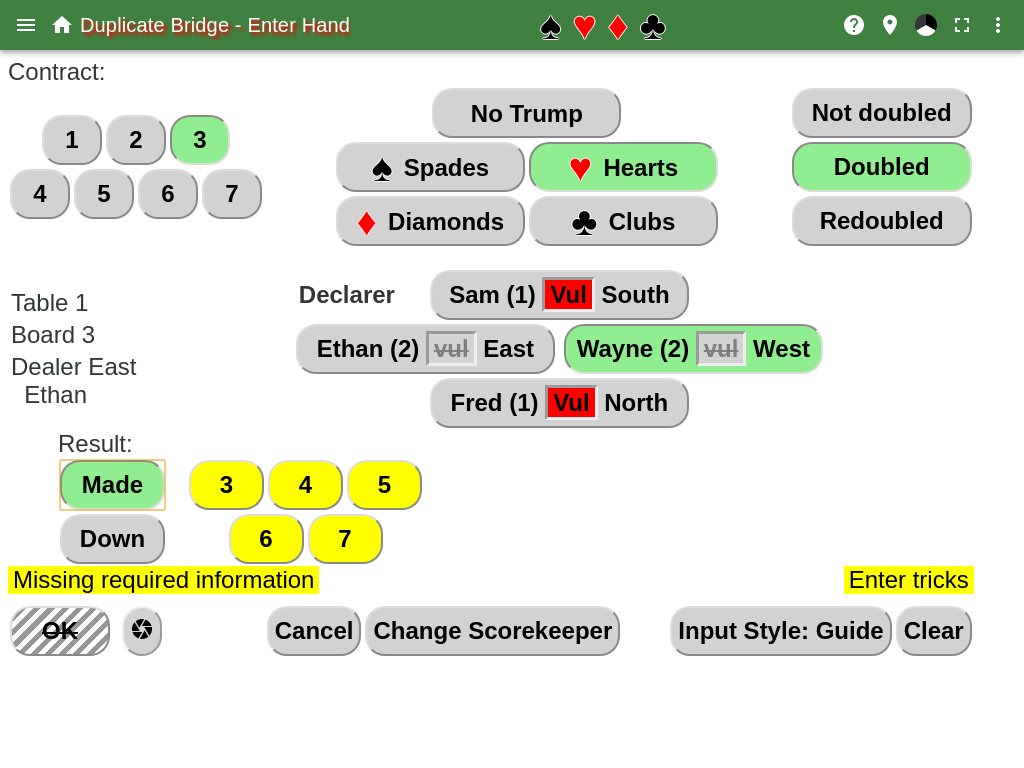
This page allows the scorekeeper to enter the contract that was bid for the hand, and the result of playing the hand.
For the contract and results buttons, the color of the button has the following meaning:
- The dark yellow buttons indicates what should be selected next.
- The light yellow buttons indicates that this still needs to be selected, but something else should be selected first.
- The light green buttons indicates the selected item.
- The gray buttons indicates another item was selected for this item.
The order of entering data by following the dark yellow does not have to be observed. The buttons can be hit in any order. If a mistake is made, the wrong button was hit, just hit the correct button to fix it.
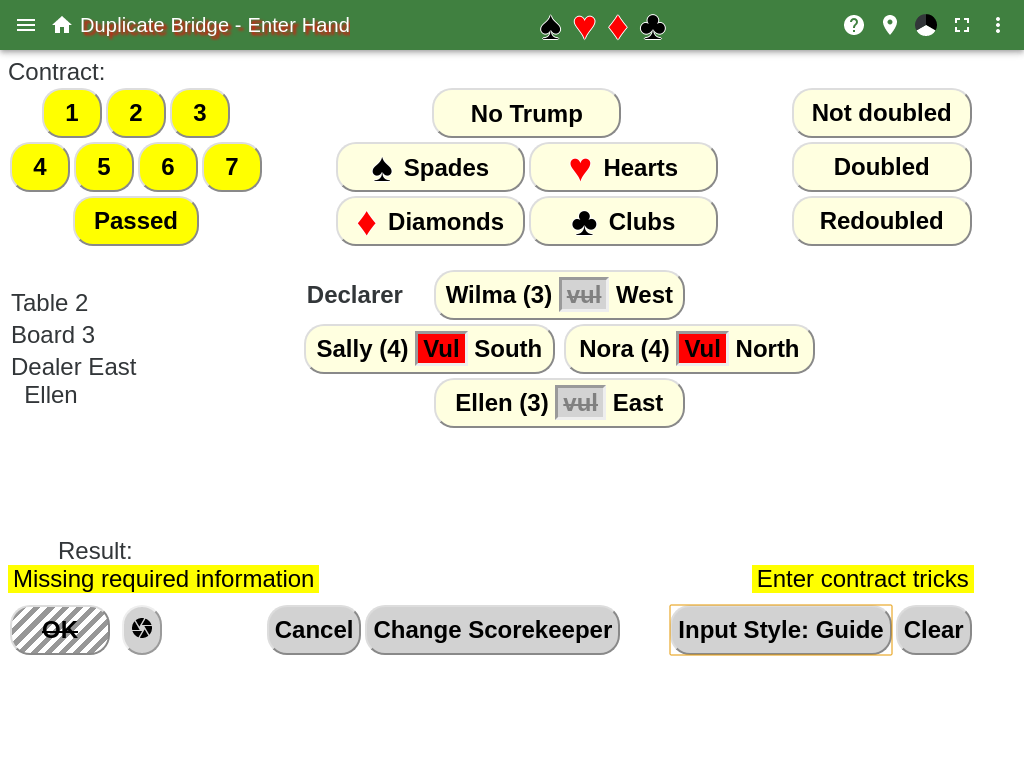
The contract is entered at the top, the number of tricks, the suit or no trump, the double status and the declarer. The declarer diamond always has the scorekeeper on the bottom. If the scorekeeper is entering the data, then the remaining names are in the same position on the page as players at the table. If the board is being played for the first time, then the Passed button under the contract tricks button is not shown. This button is used if the hand was passed out.
Once the contract has been entered, then the Made and Down buttons appear, once one of them is clicked, then the trick number buttons appear. For made contracts the numbers refer to the number of tricks above 6. For down contracts the numbers refer to the number of tricks the contract is down.
Verify the score at the bottom right, above the OK button. At the bottom right, above the Clear button, there is a breakdown of how the score was calculated.
When the contract and result is correct, hit the OK button. The OK button is grayed out and can’t be hit until all the information has been entered.
The Clear button is to remove all the contract and result selections.
The Cancel button will not save any results, and return to the scoreboard from table page.
The scorekeeper can be changed in the middle of the round by hitting the Change Scorekeeper button.
If a declarer button has a red square with the word Vul in it, then that players team is vulnerable for that hand. Not vulnerable is shown with a gray square with the word vul.
The Input Style button shows what the current input style is for entering the results of a hand. The values are:
- Guide all items that need to be entered are yellow. The dark yellow can be used to enter the information in a convenient order.
- Prompt will only show one item in yellow at a time. Selecting one of the values will cause another set of items to appear in yellow.
- Original is the original style of entering information.