Selecting Names 5 Players
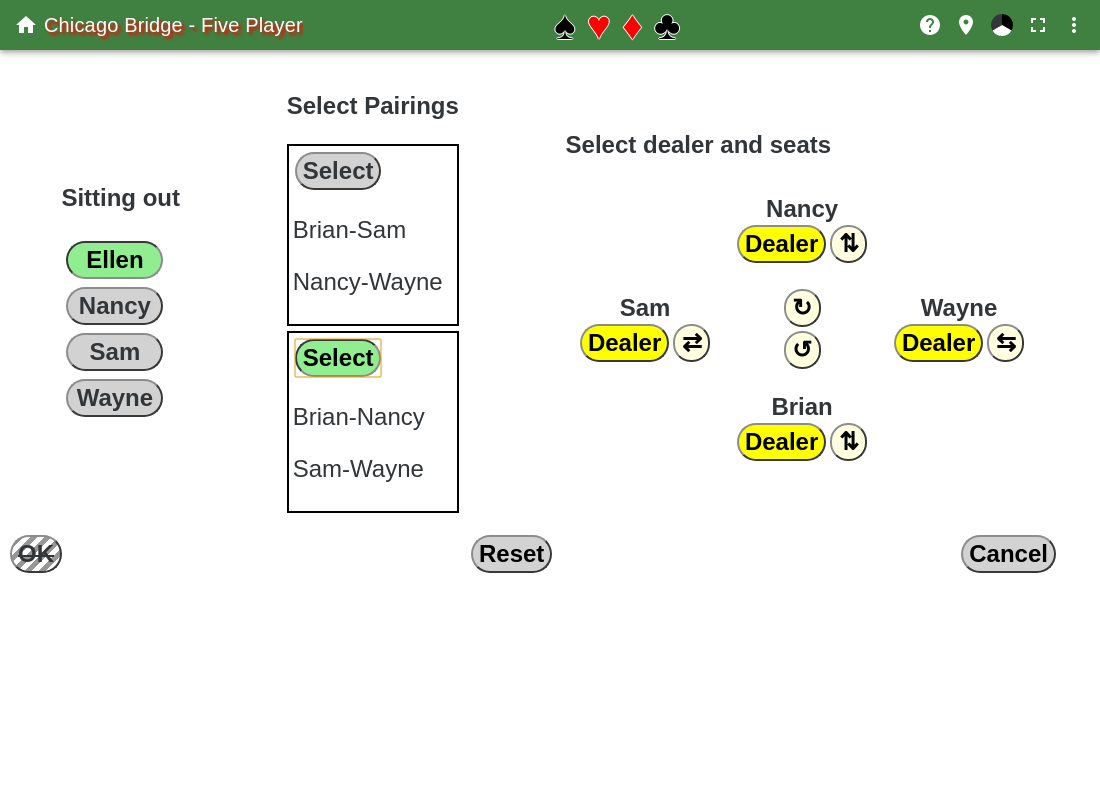
This shows the five person Chicago match. First only the Sitting out section is displayed. Select the player that will sit out the next round. Then the Select Pairings section is displayed, select the pairings to use for the next round. Then the Select dealer and seats section is displayed. The circular arrow buttons in the center are used to rotate the players clockwise or counterclockwise, while the buttons with two straight arrows are used to swap the players that are pointed at by the arrows. Finally, select the dealer for the first hand.
Only valid partnerships are allowed, every four rounds you must partner with all the other players, and everyone must sit out once.
Then hit the OK button.
If in the Sitting out or Select Pairings sections, there is only one possibility, then it is automatically selected.
The Reset button clears out all the names and unselects the dealer.
The Cancel button is used to leave this page.