Summary
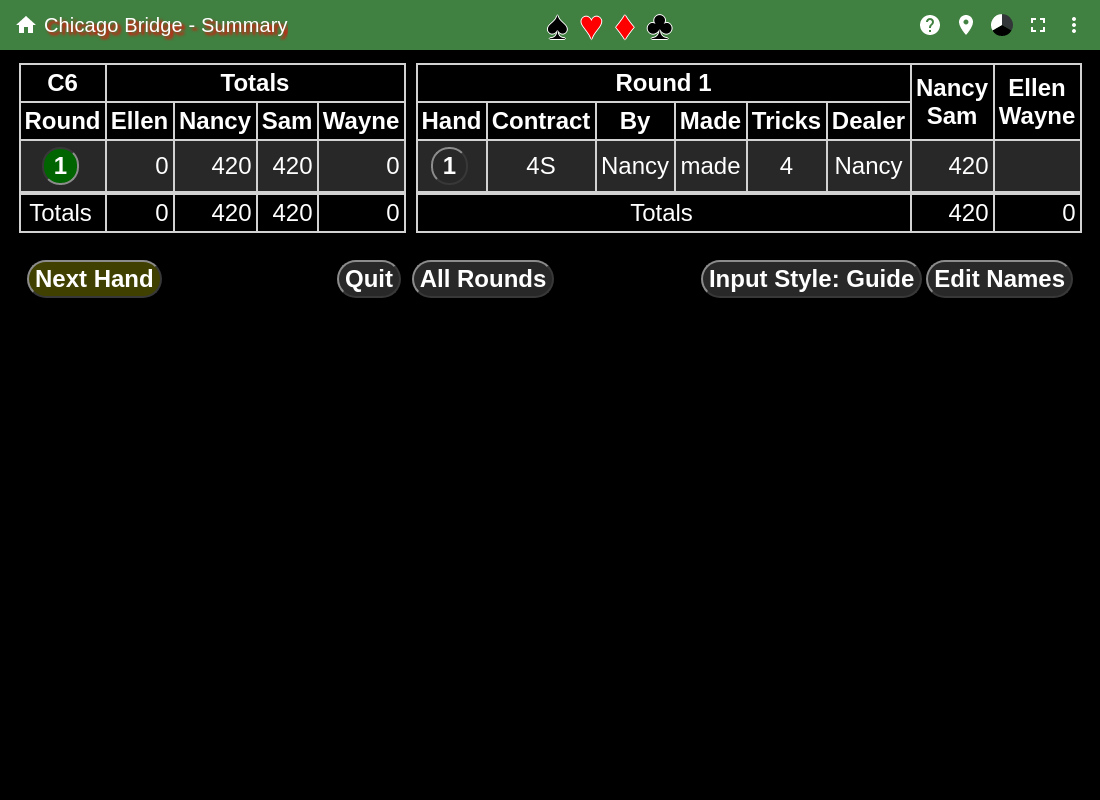
This page shows the summary of the match.
In the first table, the rows are the rounds. The second table normally shows the last round played.
In the first table, hitting the buttons in the Round column will cause that round to be displayed as the second table.
In the second table, the buttons in the Hand column will show the Entering a Hand page for that hand. Modifications can be made to the entering a hand page at this point and if OK is hit the changes are used. If Cancel is hit, then the changes are discard and the original information is used.
The Next Hand button is only shown if another hand can be played in the round. When hit, the Entering a Hand page is shown to enter the next hand.
The Quit button ends the match and returns you to the Chicago List page.
The All Rounds button will show all rounds played on the page.
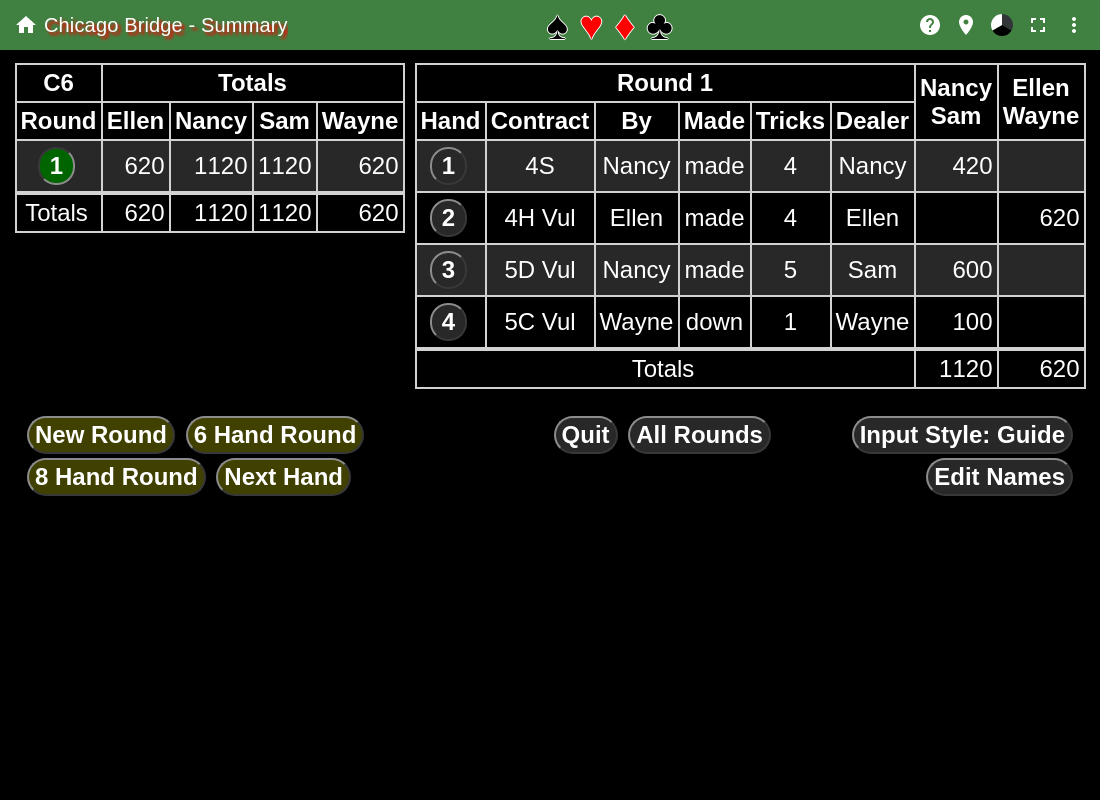
After 4 hands have been played in the first round, there is a choice to be made:
- New Round
- Start a new round, only playing 4 hands per round.
- 6 Hand Round
- Play 6 hands per round, the fifth hand has no one vulnerable, and the sixth hand everyone is vulnerable.
- 8 Hand Round
- Play 8 hands per round, vulnerability is the same as the first 4 hands.
- Next Hand
- Allows either 6 or 8 hands per round, deferring the decision until after the fifth hand.
After the second round and subsequent rounds, after the same number of hands as the first round has been played, the only button on the bottom left is New Round.
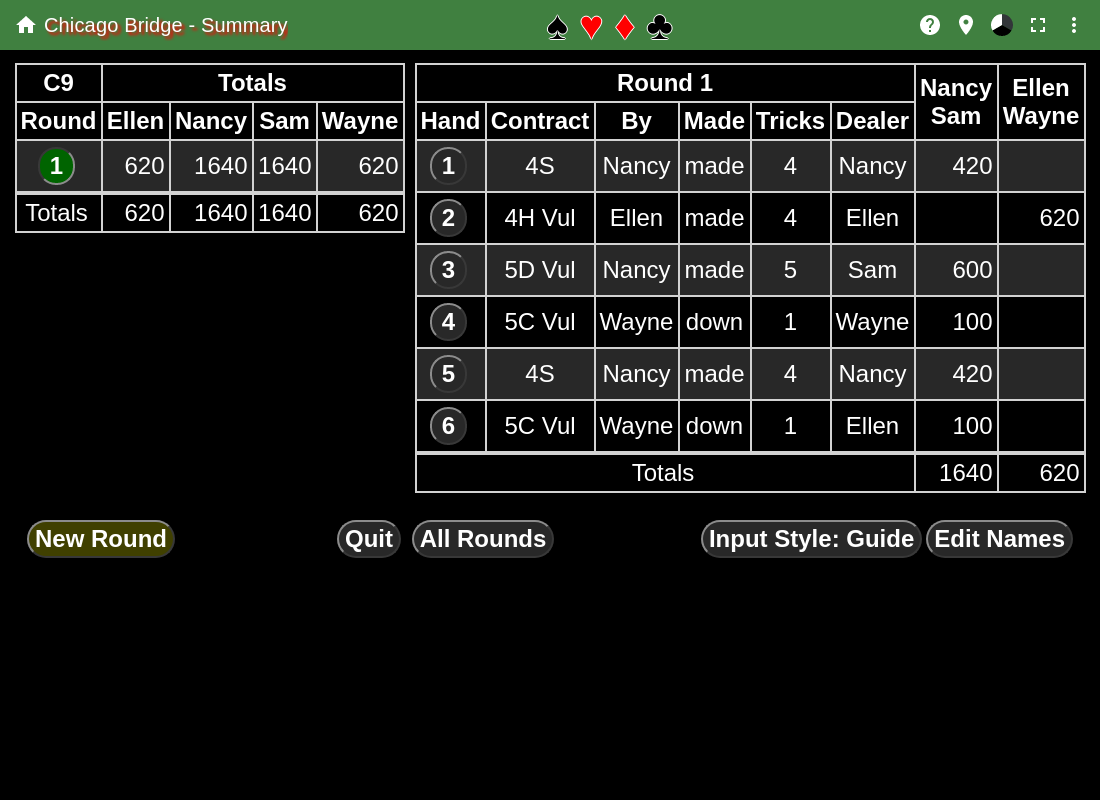
This shows a match that has 6 hands per round after the sixth hand in the first round. At this point, only a new round can be started.