Names 5 Players
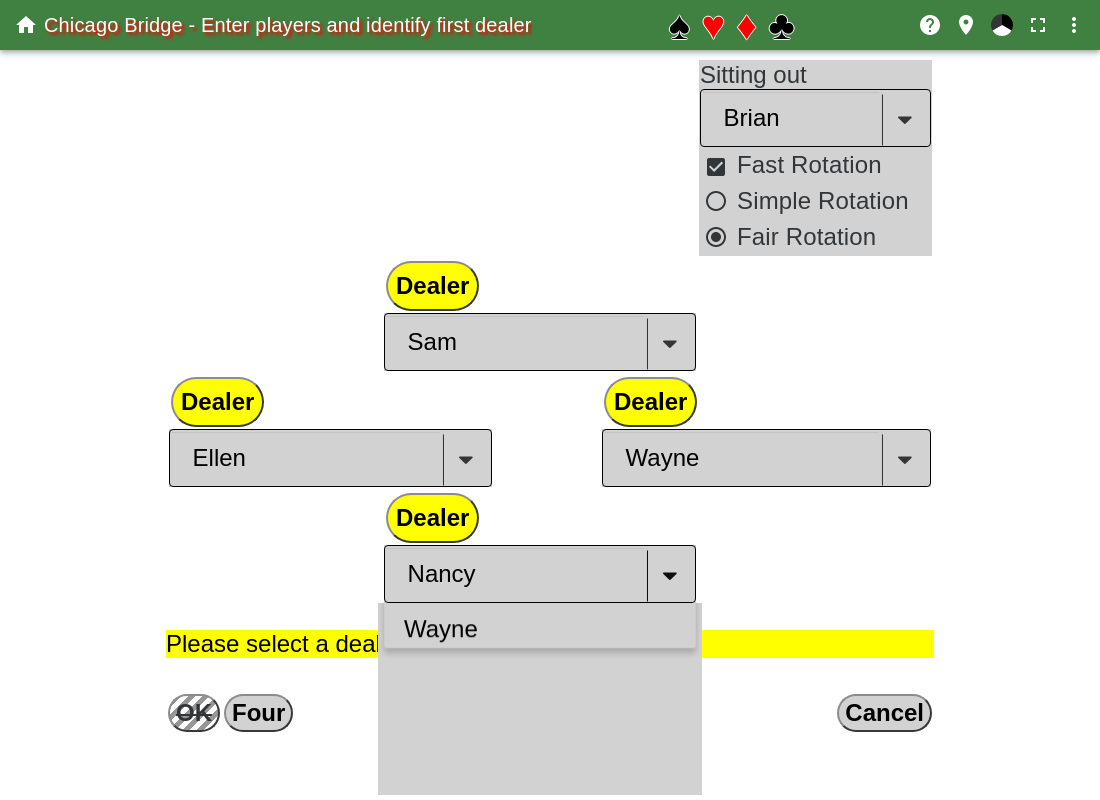
This shows the five person Chicago match. Enter the players names in their corresponding position, and select the dealer for the first hand.
Then select what type of rotation is going to be used.
If Fast Rotation is unselected, then 4 games are played before rotating players.
If Fast Rotation is selected, then after every hand the players are rotated.
There are two types of Fast Rotation:
- Simple Rotation
- The dealer and sitting out player switch. This leads to not every player partnering with every other player.
- Fair Rotation
- This leads to every player partnering with every other player, but 4 players must switch places.
To play with Simple Rotation, make sure that Fast Rotation and Simple Rotation is selected.
Then hit the OK button.
The Reset button clears out all the names and unselects the dealer.
The Cancel button is used to leave this page.
The Four button is used to when playing four player Chicago. See Names 4 Players