Board
This shows the completed board page, only boards that have been played by all teams will show a score. If not all teams have played the board, then there will be checkmarks for the teams that have played.
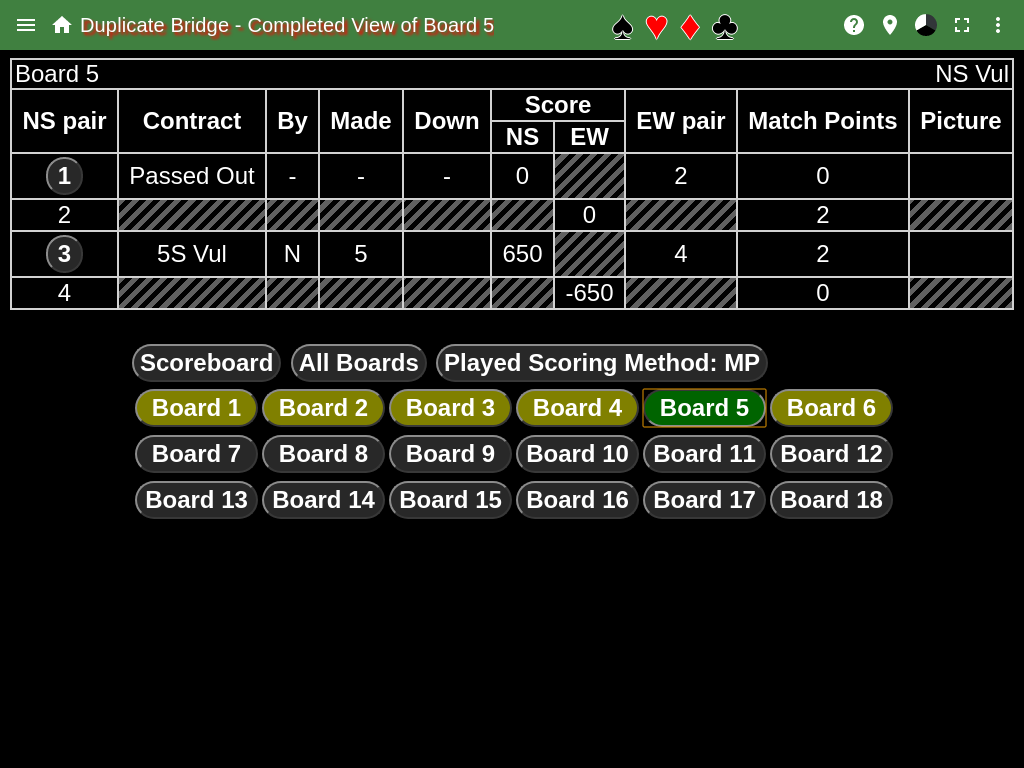
This shows a board that has been played by all teams:
 This shows a board that has been played by only two teams:
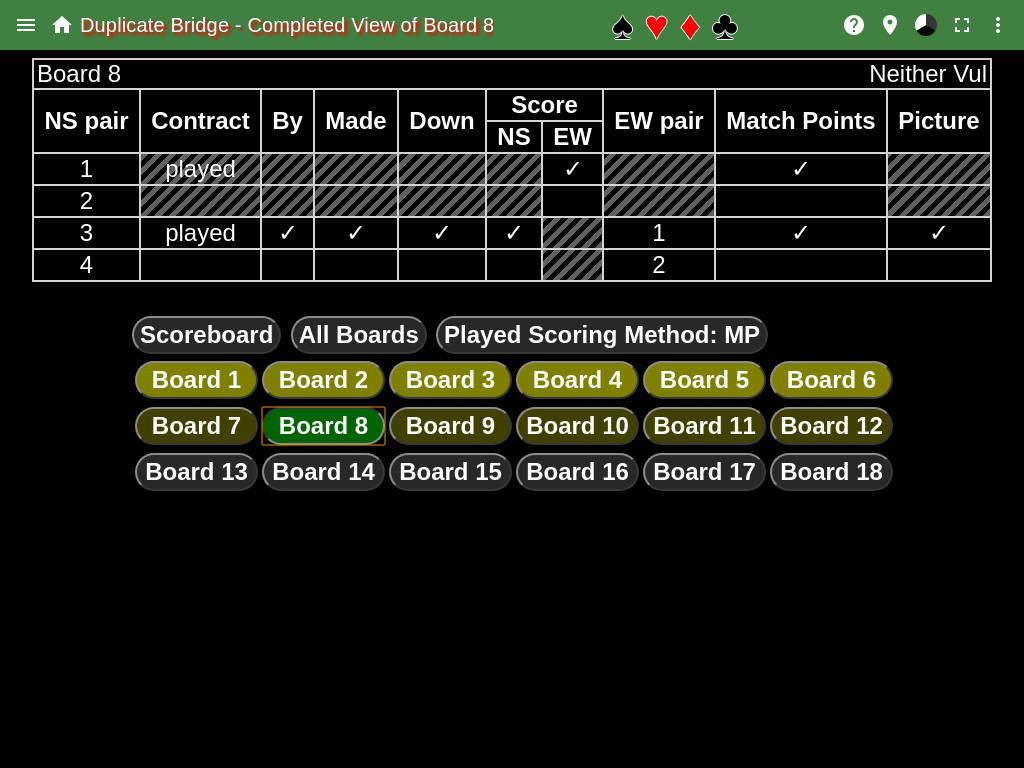
The dark yellow board buttons indicate that the board has been played by all players. The light yellow board buttons indicate that the board has NOT been played by all players. The light green board buttons indicate that the board that is being shown. The gray board buttons indicate that no one has played the board.
If all teams have played the board, then the contracts and results are shown. Example: Board 5.
A contract of played and checkmarks, ✓, indicate that the team has played the board but the result can’t be shown since all teams haven’t played the board. Example: Board 8.
The Scoreboard button returns to the scoreboard page
The All Boards button shows all the boards on one page. The table in the above figures would be repeated for every board in the match.
The Match Points button, which can also be Played Scoring Method or International Match Points identifies how the scores are displayed in the board page. This will not change the scoring method of the match, only show what the score would be with an alternate scoring method.